Charging access rules and guests
In short: FleetOS decides who's allowed to charge at which charger and when, using access rules. By default, nobody can charge anywhere — access has to be explicitly granted. You can also let guests and visitors charge, either with a temporary card or by allowing unknown cards organization-wide.
How access rules work
An access rule is a named, reusable rule that you build once and then attach wherever it applies. It has three parts:
- Who — one or more driver groups, or simply Anyone. With several groups on one rule, a driver is allowed in as soon as they belong to any one of them.
- When — one or more time windows (days of the week plus a from/to time). Access is granted when any window matches; leaving a window's days or times empty means "any day" / "any time".
- Where — the rule is attached to a site, a zone, a charger, or your whole organization. The same rule can be attached in several places; detaching removes only that attachment, the rule and its schedule stay.
-
In the sidebar, go to Access Rules and select Add rule (or open an existing rule).
-
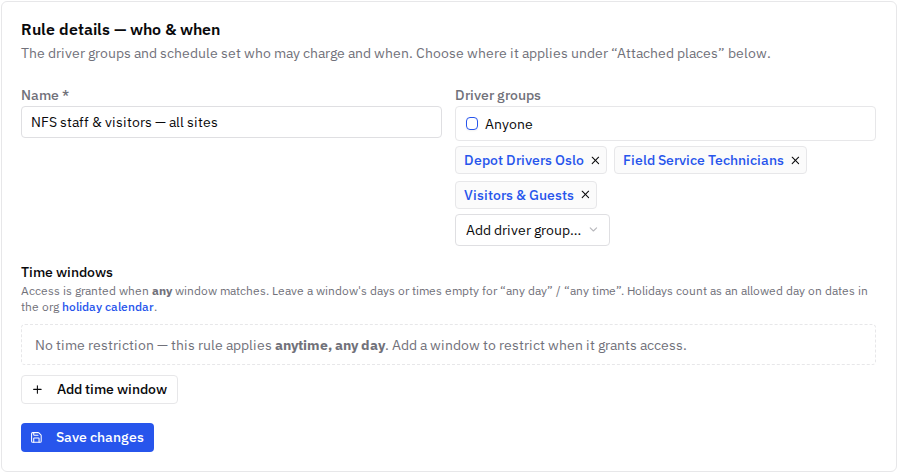
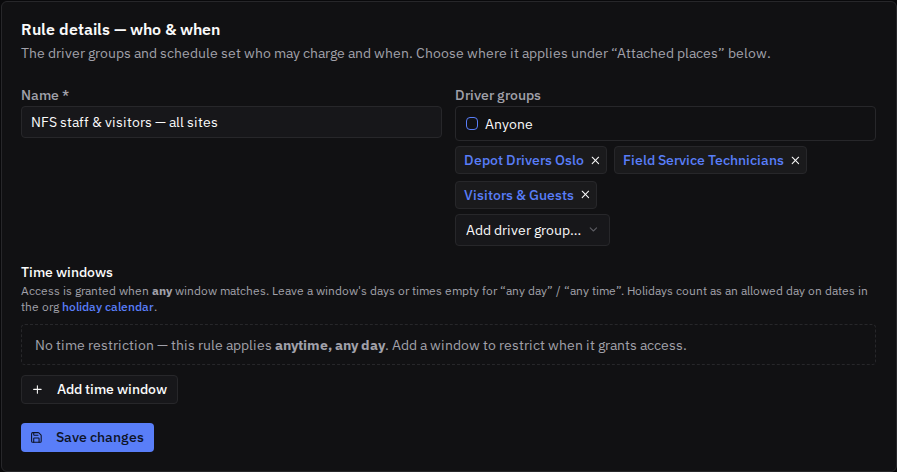
Under Rule details — who & when, name the rule, pick the driver groups (or check Anyone), and set the time windows.
-
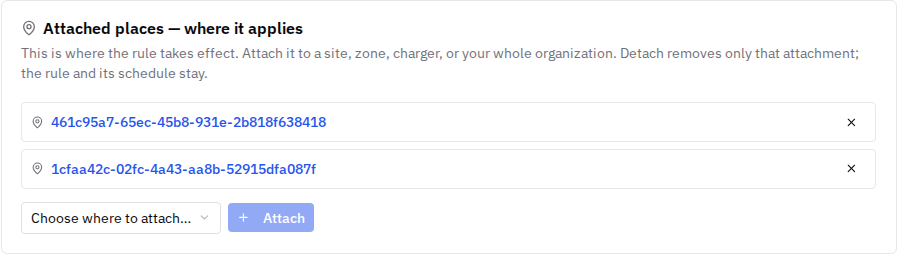
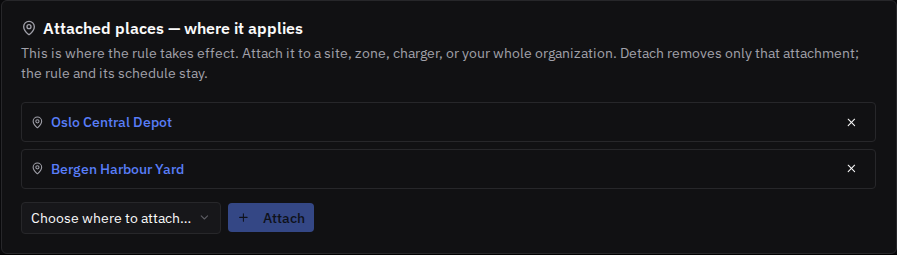
Under Attached places — where it applies, attach the rule to the sites, zones, chargers — or the whole organization — where it should take effect.
Because access is deny-by-default, a driver only gets access where a rule explicitly grants it — an unknown card, a disabled or expired card, or a card outside every matching rule's time window is rejected.
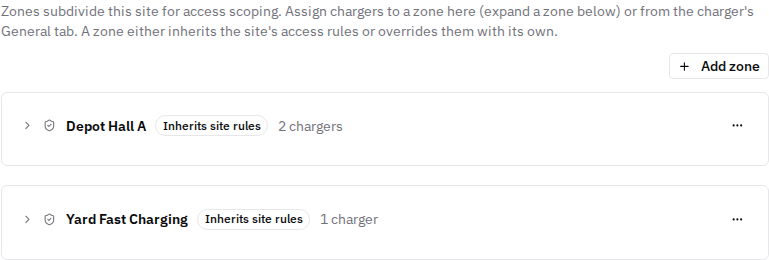
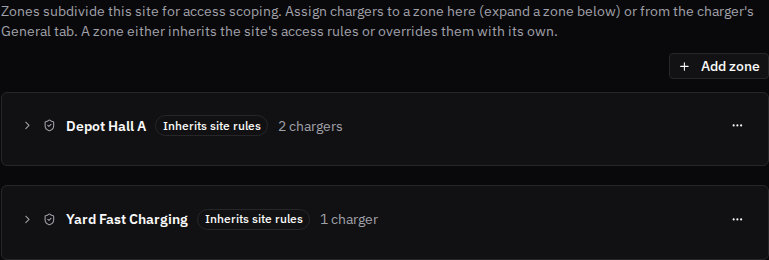
Zones let you subdivide a site for finer-grained access scoping — for example a loading dock versus a staff car park at the same depot. Manage them from a site's Access → Zones tab: assign chargers to a zone there or from the charger's own page, and each zone either inherits the site's access rules or is switched to its own with a single toggle. A rule attached to a zone only takes effect at the chargers assigned to it.
Time windows and holidays
Each time window has day-of-week checkboxes plus a Holidays option, so you can build rules like "weekdays 06:00–18:00" or "overnight and holidays only" (windows can cross midnight).
Holiday calendars are curated once per country at the organization level (Organization → Holiday calendars), from system-suggested presets. Each site then uses the calendar of its own country — so a rule with Holidays checked skips Italian holidays at Italian sites and German holidays at German sites, even inside the same organization.
Letting guests charge
FleetOS supports two ways to let visitors charge without making them regular drivers:
-
A temporary card — issue the guest an RFID card the same way you'd issue one to a driver, but with an Expires at date: the card stops working automatically once it expires. The card works within whatever access rules cover it. This is built for on-site visits, where you can physically hand over a card.
-
Allow unknown cards — an administrator can turn on Allow guest charging under Organization → Modules: unknown or unwhitelisted RFID cards can then start charging sessions. When it's off (the default), only cards covered by an access rule can charge.


Revoking access
- A single card: set the card's status to Disabled (or let its expiry pass) on the RFID Tags page.
- A driver entirely: open the driver's page and select Deactivate driver — every card assigned to them stops working.
- A session in progress: use Remote stop from the charger page's Actions menu.
Good to know
- Access is deny-by-default: with no matching rule, a card is rejected — including on chargers not assigned to any site.
- A driver is granted access as soon as they belong to any one of the groups an access rule covers — not all of them.
- Rules are a library: build "Weekday office hours" once and attach it to every depot it applies to, instead of rebuilding it per site.
- Holiday calendars are organization-level and per-country; each site applies its own country's calendar automatically.
- Zones are optional: a site with no zones simply applies its site-level rules everywhere; add zones only where you need different access for different parts of the same depot.
Common issues
- Symptom: a driver can't charge at a charger they expect to have access to. Cause: access is deny-by-default. Fix: check that a rule covering their driver group (or Anyone) is attached to that charger, its site, or the organization — and that the current time falls inside one of the rule's windows.
- Symptom: a rule behaves differently on a holiday across two depots. Cause: holidays resolve per the site's country. Fix: check the org's holiday calendars and each site's country — this is by design for multi-country fleets.
- Symptom: a guest's card stopped working. Cause: the card's expiry passed. Fix: this is the intended behavior for temporary cards; issue a new one if the visit continues.
Related pages
Last updated: 2026-07-14 · Verified on: hosted demo app (explorer-2, org "Sandbox Two"), 2026-07-14