Session billing and data export
In short: Every completed charging session is automatically billed against the tariff of the RFID card that started it, and that billing is locked in permanently — changing a tariff later never rewrites past sessions. The Billing page shows the totals per driver month by month, and a yearly per-driver CSV can be downloaded from the same page or pulled via the API.
How a session gets billed
When a driver taps their RFID card and finishes charging, FleetOS:
- Looks up the tariff assigned to that card (see the tariffs page).
- Rates the session — energy consumed × the tariff's per-kWh price, using up any free-energy quota still available first.
- Snapshots the tariff and the result onto that session's billing record.
Because the price is snapshotted at session time, your billing history never silently changes: editing a tariff only affects future sessions. This is what makes the session history a reliable record for accounting and reconciliation.
Reviewing billing per driver
-
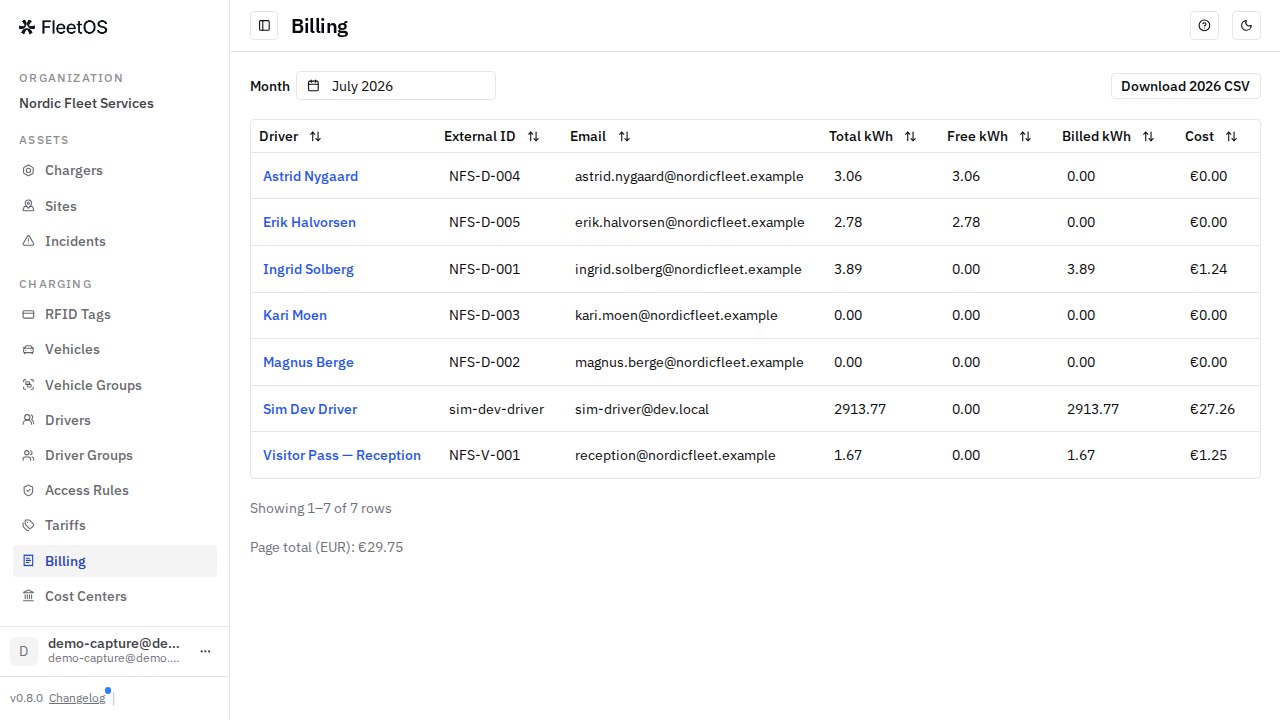
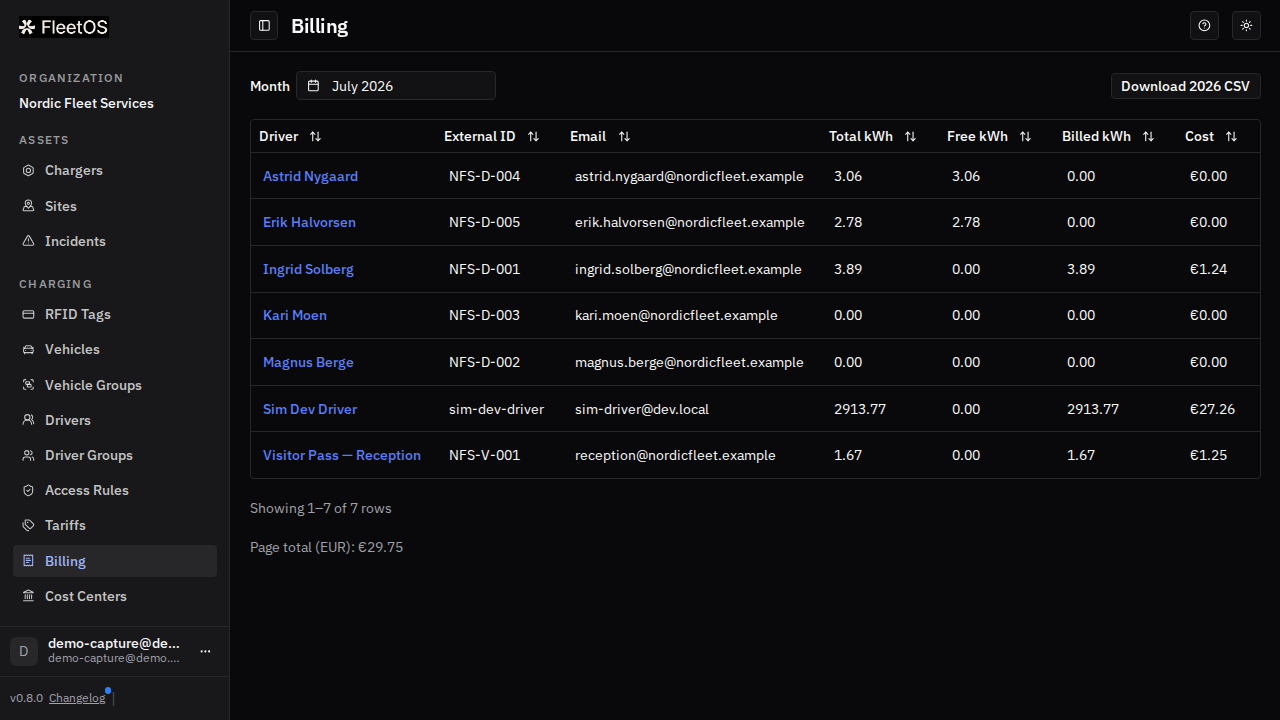
In the sidebar, go to Billing.
-
Pick the Month. For each driver you see the total energy, how much of it was covered by a free quota, the billed energy, and the cost — plus a page total per currency.
-
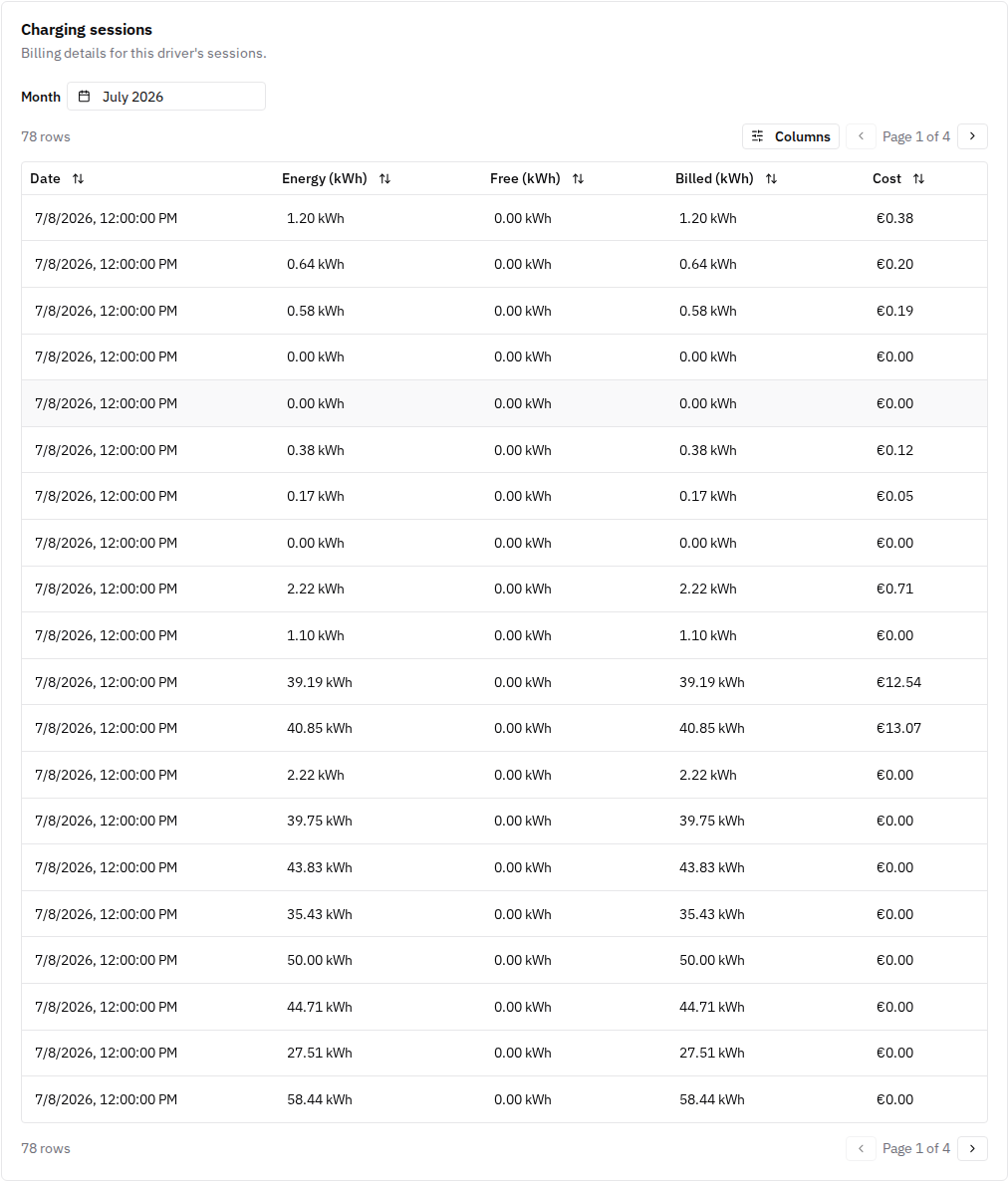
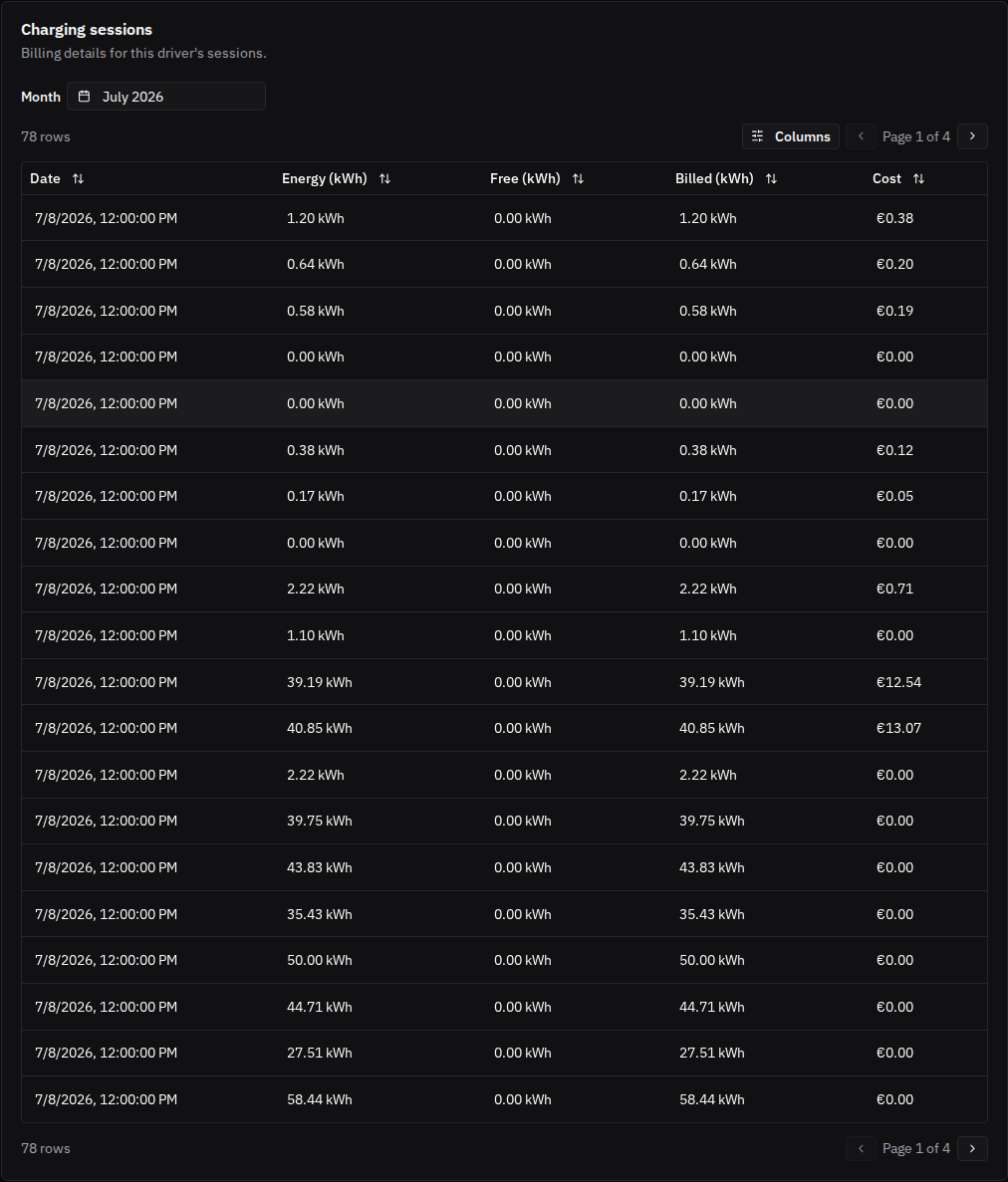
For one driver's individual sessions, open the driver's page: its Charging sessions card lists each session with its energy, free and billed split, and cost.
Exporting billing data
- From the Billing page, select Download CSV to get the yearly per-driver report: driver, RFID card, number of sessions, total kWh, and net cost — one row per driver (per currency).
- The same report is available programmatically via the FleetOS API (authenticated with an organization API key — see the account security page), useful for feeding your accounting or payroll system.
Good to know
- Amounts are net — there is no VAT calculation. FleetOS reports the raw energy cost; VAT or other taxes are applied outside the system by your finance team.
- Currency follows each tariff's own currency; FleetOS doesn't convert between currencies, so a fleet using more than one sees separate rows per currency.
- If a driver leaves partway through the year, they still appear with their partial totals — there's no proration, the numbers reflect exactly what was billed.
- The export is a data file, not a PDF invoice, and isn't sent on a schedule — you download it when you need it.
- Departmental cost attribution is separate: the billing export is per driver; the per-cost-center breakdown lives on the Reconciliation page (see the cost centers page).
Common issues
- Symptom: you changed a tariff's price, but old sessions still show the old rate. Cause: billing is snapshotted at session time. Fix: this is expected — only future sessions use the new price.
- Symptom: a session looks billed incorrectly. Fix: contact FleetOS support with the driver, charger, and session time — billing records are immutable and corrections are handled on the FleetOS side.
- Symptom: a driver's free quota didn't reset when you expected. Cause: the quota period (monthly or yearly) is set per tariff. Fix: check the tariff's quota period on the Tariffs page.
Related pages
Last updated: 2026-07-10 · Verified on: local demo app, 2026-07-10